How Melaa protects student data, and the record it keeps of every sensitive action.
How student names are kept from the AI
Before any chat message leaves the browser, student names are replaced with neutral placeholders - and the server strips them again as a second layer.
Group mode goes further: students become Student A, Student B in everything sent to the AI.
Teachers see a "Names protected" banner whenever a swap happens, so the protection is visible, not hidden.
Access is scoped by design
Teachers see only their assigned students; school admins only their buildings (students not yet assigned to a school, and district-wide meetings, are for district admins to manage); district policies control who can change scores, mark exits, and see notes.
Admins previewing a teacher's view are hard-locked to read-only.
The audit log
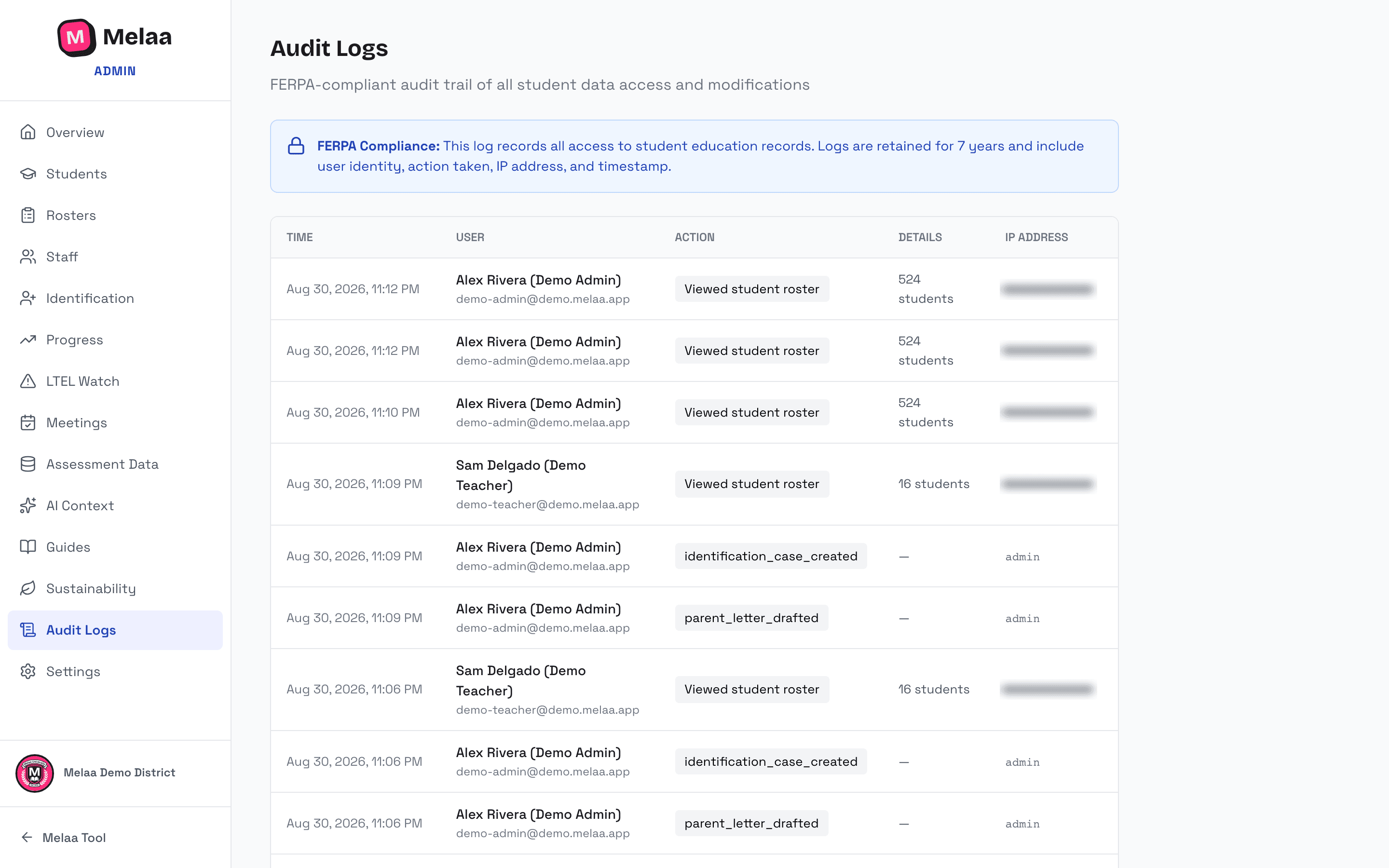
Audit Logs (Program group in the sidebar, also linked from Settings) records sign-ins and sign-outs, student profile views, every export or download, and changes to student records chronologically - score changes, exit decisions, letters, plan signings, policy changes, and more - with who and when. Each action shows in plain words.
Use the filters above the table to narrow entries by user, action type, student name, or a date range, then choose Apply filters.
Export CSV downloads every entry that matches the applied filters (up to 50,000 rows, times in UTC) as a spreadsheet-safe CSV. Only owners and admins can export, and each export is itself recorded in the audit log.
Use it for DPA reviews, records requests, or simply answering "who changed this?"
Melaa support access shows up here too. If we need to see a user's screens to troubleshoot, we open a support session: read-only, 30 minutes, student names and IDs replaced with temporary pseudonyms, staff-written notes and plans hidden, exports and AI turned off. It is logged in YOUR audit log as "support_session_started", with the reason and who at Melaa opened it.
Audit log (Melaa Demo District, fictional data)
District privacy plumbing
Settings → DPA Contact keeps your data-privacy officer on file.
melaa.app/data-sharing documents what data Melaa processes and why - share it with evaluating committees.
Data-retention jobs run automatically; deletion requests are honored via hello@melaa.app.