Understand the score history chart, the ACCESS growth trajectory, and academic assessment context.
Scores over time
With a student selected, click "Scores over time" in the Student Profile panel.
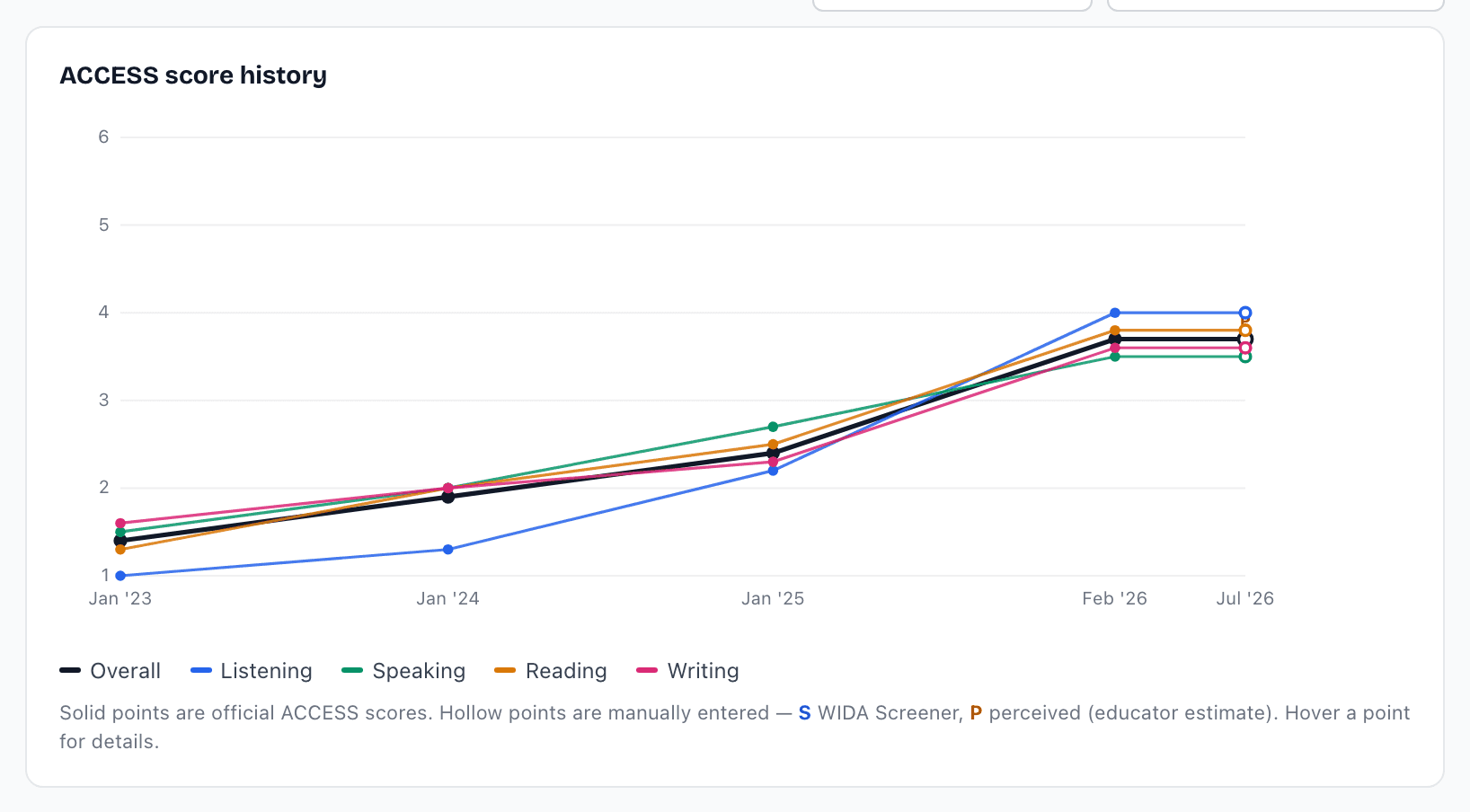
ACCESS score history plots every score on a real timeline. Solid points are official ACCESS results; hollow points are Screener (S) or Perceived (P) entries. Move your mouse across the chart - a crosshair snaps to each test event and shows every domain value.
When your district's ACCESS file included scale scores, a Scale scores switch appears above the chart. WIDA recommends scale scores for growth over time and across grades (proficiency levels are relative to the grade tested). 2025-26 scale scores are a new baseline and are not comparable to earlier years; the chart marks that break.
The table below lists each year's full record with who entered it.
ACCESS score history chart with crosshair readout (Melaa Demo District, fictional data)
ACCESS growth trajectory
Below the history chart, the trajectory fits a trend to the student's own past scores and extends it toward your state's exit bar (the dashed green line). The extension is not a straight line: growth on ACCESS is usually faster at levels 1 and 2 and slower at 3 and above, so the projection follows a level-based pace (about +1.0 a year at level 1, +0.5 at level 2, +0.33 from level 3 up) scaled to how fast this student has actually grown.
Scores from before an ACCESS rescale (WIDA reset ACCESS scale scores in 2025-26, and new proficiency level cut scores from the 2026 standard setting take effect with 2026-27 results) stay on the chart, greyed, but are not trended against newer scores. WIDA treats a student's first year on a scale as a baseline.
Grade levels appear under each year, and a dotted line marks expected graduation - projections never extend past grade 12.
If the student has perceived scores, a checkbox ("Include perceived scores") adds them as hollow purple points at the date they were entered and re-anchors the projection.
The trajectory extends the student's own past scores at a level-based pace - useful for conversations, but not a prediction and not a WIDA growth metric.
Academic growth
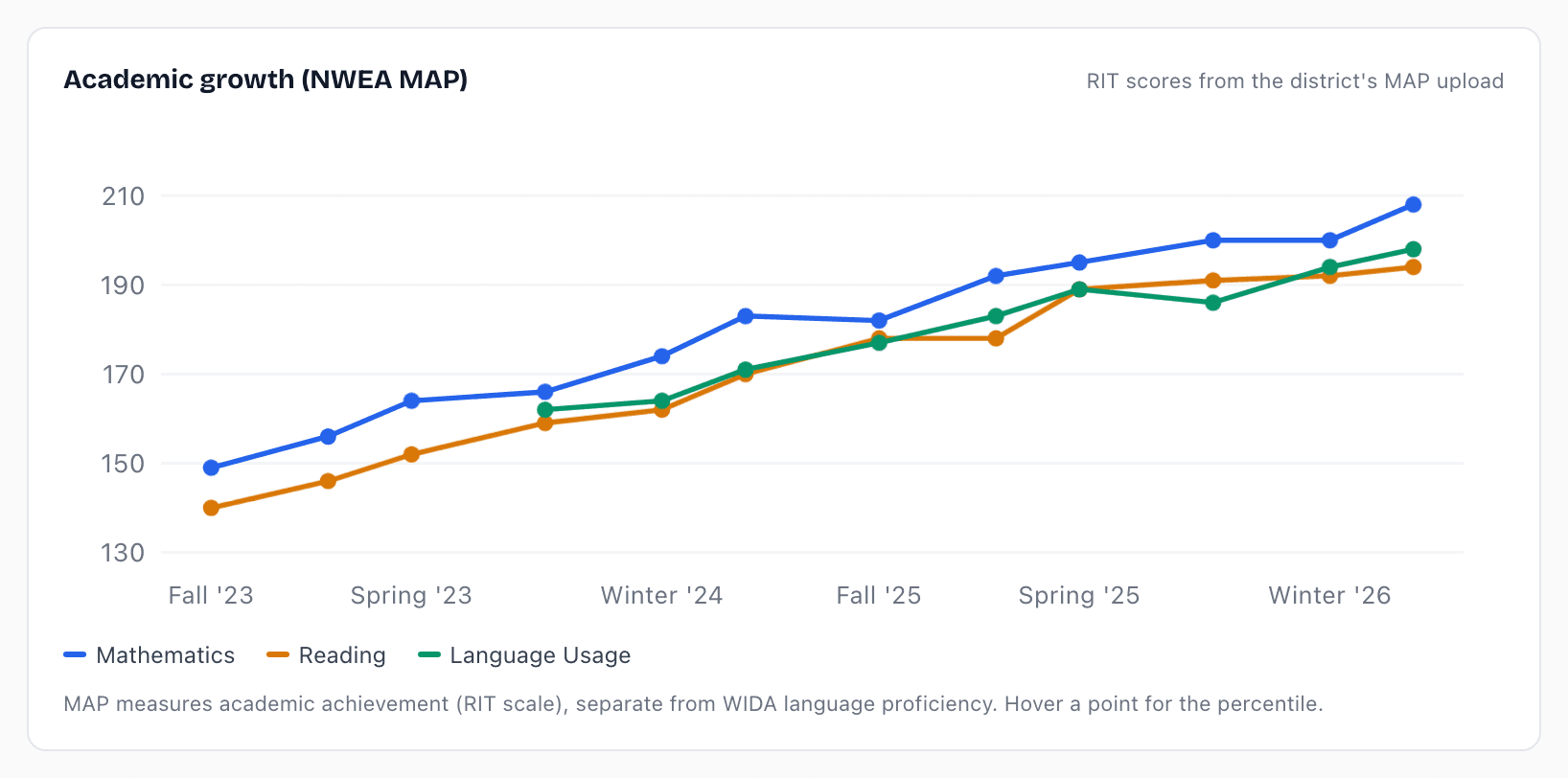
If your district uploads academic assessment results, an Academic growth chart appears below the trajectory, with each subject as its own line and percentiles on hover.
You see one chart per assessment - NWEA MAP, i-Ready, Star, Acadience or whatever your district uses. They stay separate on purpose: each has its own scale, so combining them on one axis would flatten every line.
Use it to separate language questions from academic ones - for example, strong math percentiles alongside developing WIDA reading points to a language-access need, not a math need.
Academic growth chart by subject (Melaa Demo District, fictional data)